
Tools and Methods to Diagnose Ad Account Lockouts

Brian Sung
Published on July 1, 2026
Ad Account Disabled: How to Confirm the Type of Restriction
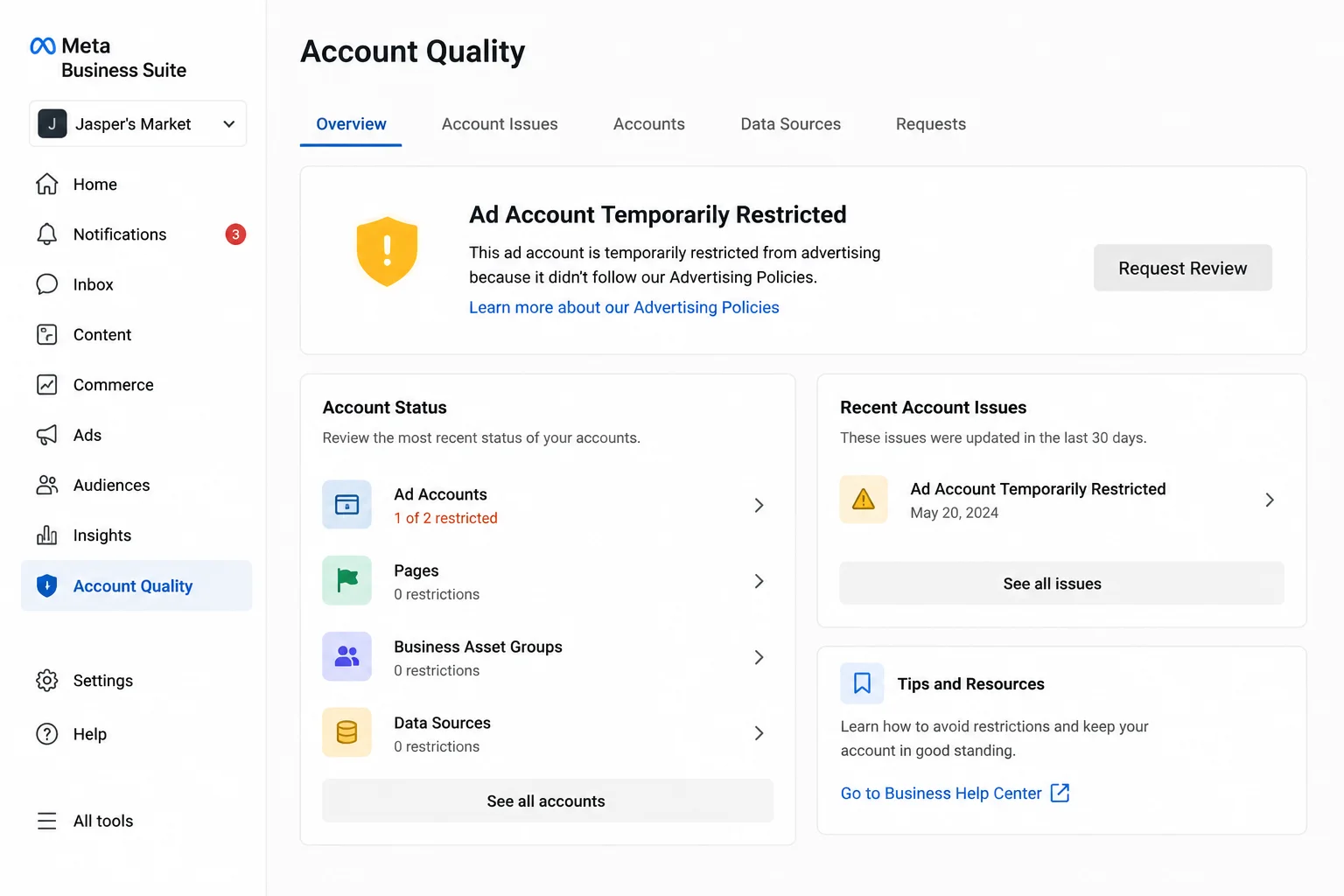
An ad account that is "disabled" is not always permanently disabled. Meta applies different restriction levels depending on the trigger, and each has a different recovery path. The first diagnostic step is to identify which of the following applies to your account.
The three restriction tiers
Meta uses a tiered enforcement system. Meta's Business Help Center outlines the account status levels, but the practical difference between them matters more than the label:
Temporary restriction (lockout). The account is frozen but not terminated. Common triggers: payment method declined, suspicious login detected, or 2FA compliance flag. You can usually resolve a temporary restriction by updating your payment information, verifying your identity through Meta's identity confirmation flow, or completing a security check. Recovery time: 24–72 hours in most cases.
Ad delivery restriction. Your account is active, but ads aren't being delivered. This often appears as a "boost unavailable" or "ad account restricted" notice without a full login lockout. Meta's Business Help notes that delivery restrictions are frequently caused by policy flags on specific ads or ad sets — the account itself is fine, but particular creatives are blocked.
Full disablement. The ad account is permanently or long-term disabled. This follows a Meta Terms of Service or Advertising Policies violation. If you receive a notification citing a specific policy, that's the reference you need for your appeal.
How to check which one you have
The diagnostic tool is built into Facebook's own interface. Go to Account Quality in Business Suite to see active restrictions, policy violations, and account standing for every ad account under your Business Manager. Meta's Business Help recommends checking this page first before attempting any other recovery step — it surfaces the exact reason for the restriction, which determines the correct appeal path.
What diagnostics won't tell you
Account Quality shows the restriction notice, but it doesn't always show the cause. Some lockouts are triggered by automated security systems that Meta doesn't fully document. A failed payment that was retried successfully can still leave the account in a restricted state for 24–48 hours while Meta's payment verification systems clear the flag. This is one of the most common reasons advertisers see "ad account disabled" without a clear policy violation — and it's also one of the easiest to fix: wait 48 hours and verify the payment method is current.
Portcast does not guarantee that every account can be reinstated. Platform policy decisions rest with Meta. What we can do: compliance review before submission to minimize the risk of restrictions, and direct platform escalation when standard recovery through Account Quality doesn't resolve the issue.
Ad Account Keeps Getting Locked Out: Identifying Recurring Patterns
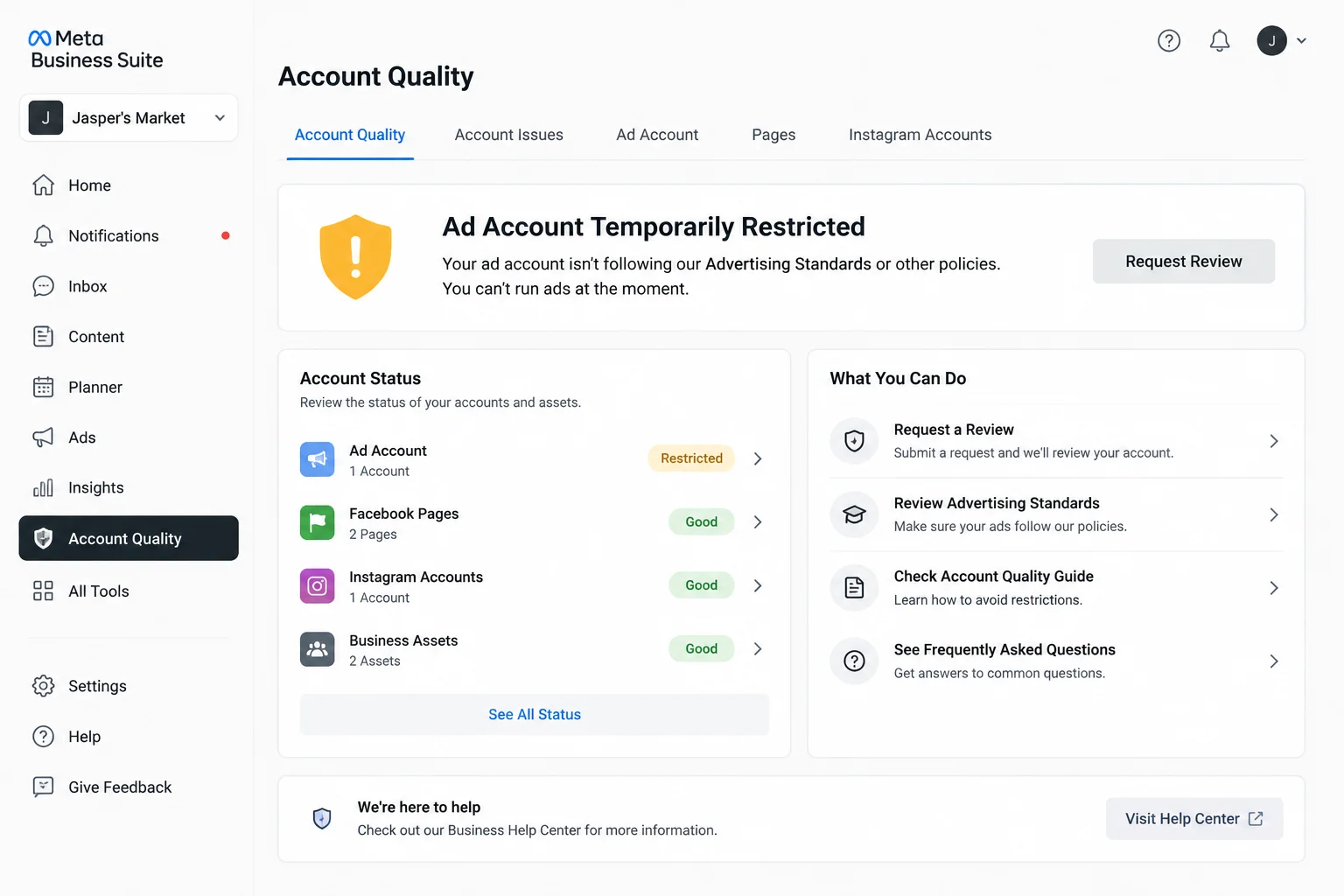
An ad account that gets locked out repeatedly is not a series of bad luck — it's a pattern that points to a specific root cause that won't resolve itself. If you've reinstated your account, only to see it restricted again within days or weeks, the underlying trigger is still active.
Six recurring lockout patterns and their root causes
| Pattern | Likely root cause | Diagnostic step |
|---|---|---|
| Account locked after payment change | New payment method triggered security review | Check pending payments under Billing in Ads Manager |
| Lockout follows new campaign launch | Ad creative or landing page flagged by automated review policy | Check Ad Review history for disapprovals |
| Account restricted at consistent intervals | Automated batch review cycle; not a specific trigger | Wait 72 hours; if it clears and returns, pattern is cyclical |
| Lockout after login from new location | IP-based security flag; multiple login sources | Enable 2FA and review login history in Security and Login |
| Lockout follows Business Manager change | New admin or partner role triggered access review | Check Business Settings for recent admin changes |
| Lockout with no notification in Account Quality | Backend verification flag; payment/billing sync issue | Contact support through Ads Manager billing channel |
The most overlooked cause: payment verification cascades
The most common recurring lockout cause is a payment verification cascade — a card is declined, the account is restricted, you resolve it by updating the card, and Meta's system triggers a secondary verification on the updated payment method. This second verification can take 24 hours and looks like a fresh lockout, even though it's just the tail end of the first one. Meta's Advertising Policies recommends checking your billing history for "pending" transactions whenever you see a restriction — if a payment is stuck in processing, that's the cause, not a policy violation.
When the pattern means a structural problem
If none of the above patterns match, the recurring lockouts may be caused by your Business Manager's standing, not any individual ad account. Meta tracks Business Manager health as a separate signal from ad account health. A Business Manager with multiple historic violations — even if those accounts were successfully reinstated — will see stricter scrutiny on every new account under it. In that case, the fix isn't appealing individual lockouts. It's establishing a clean compliance history over 30–90 days of uninterrupted ad delivery.
Recurring lockouts are frustrating, but they follow identifiable patterns. The providers that reduce their frequency are the ones that maintain direct platform escalation and compliance review processes that catch the trigger before it reaches Meta's automated enforcement.
Ad Account Locked Out Event ID: What It Is and How to Use It
Meta assigns a unique event ID to most ad account restrictions, but it's not shown in Ads Manager — you need to know where to find it and how to reference it in support requests. Unlike Windows Active Directory, where event IDs like 4740 (account lockout) follow a documented standard, Meta's event system is internal. The event ID is a reference number tied to the specific enforcement action on your account.
Where to find the event ID
The event ID appears in two places:
1. The restriction notification email. When Meta restricts an ad account, it sends an email to the Business Manager admin's registered email address. The event ID is typically listed at the bottom of the email — a string like "Case #XXXXXXX" or "Reference ID: XXXXXXX". Meta's Business Help notes that most advertisers miss this because they check Account Quality in the web interface but don't cross-reference the notification email.
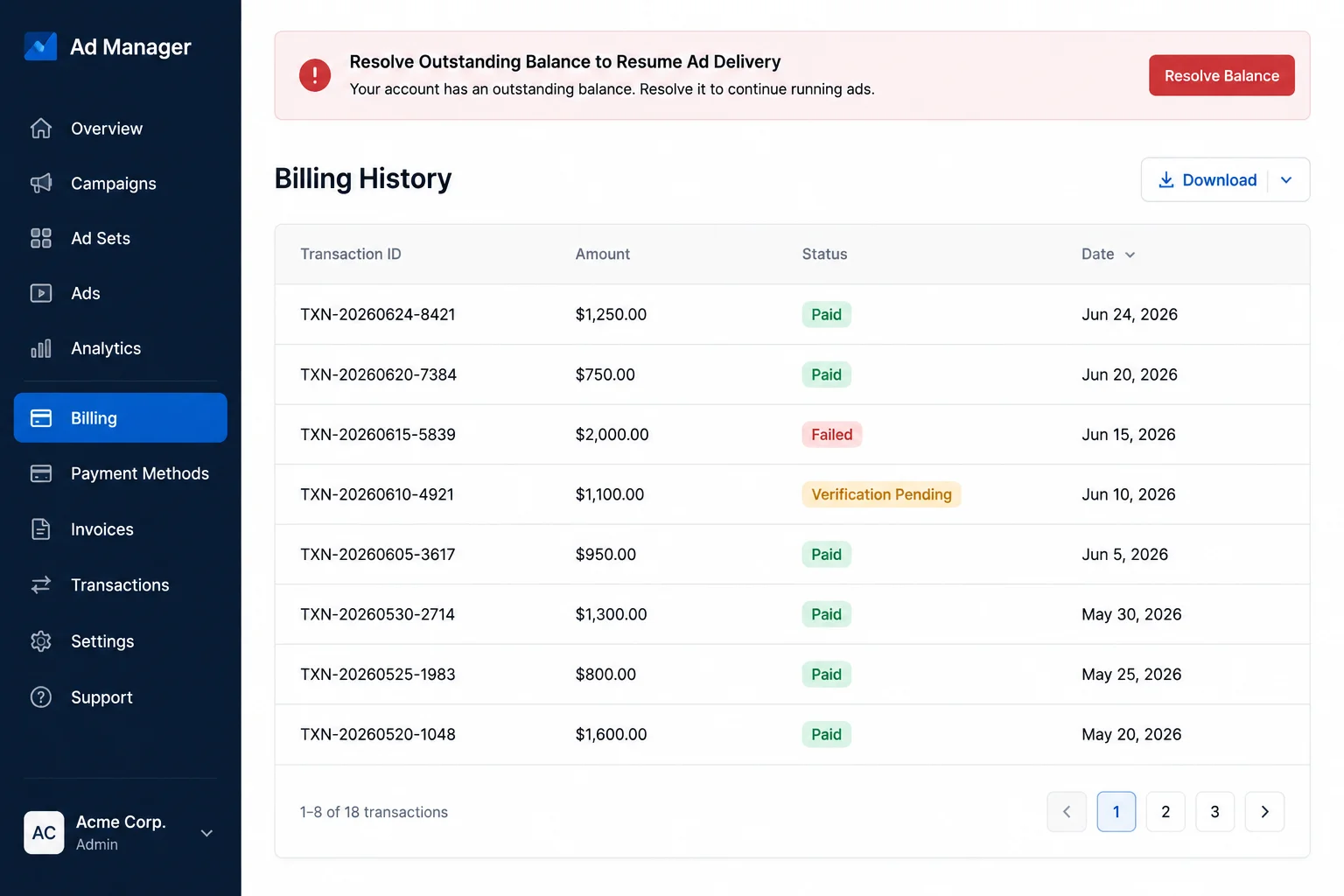
2. The Account Quality page. At facebook.com/accountquality, each restriction entry has a "See Details" link. Clicking through reveals additional metadata, including the internal reference ID for that enforcement action.
Why the event ID matters
If you're appealing a restriction through Meta's standard process (Account Quality → Request Review), you don't need the event ID. Meta's system already links your appeal to the restriction record. The event ID becomes useful in two scenarios:
- You're contacting Meta support directly. Providing the event ID in your support ticket lets the support team locate your case history immediately, rather than searching by Business Manager ID or account number. Meta's Account Quality dashboard recommends including the event ID in the subject line of any support email.
- You're working with a provider on escalation. If you have a provider that can escalate directly to platform teams — Portcast provides direct escalation for clients — the event ID is the fastest way for them to reference the specific restriction. Without it, the escalation team needs to re-diagnose the issue from scratch.
Portcast maintains a documented escalation process for clients who need help with ad account restrictions. We don't guarantee reinstatement — that decision rests with Meta. We do guarantee a response within 1 day and documented progress on every escalation case.
If your ad account is locked and you need help identifying the cause — or if you want to set up your account structure to minimize the risk of recurring lockouts — talk to our AM. We'll review your account situation and confirm the next step. No payment before scope is confirmed.
Written by Brian Sung
Growth Lead at Portcast Media. Writing about ad account infrastructure, platform policy, and how performance advertisers scale without getting shut down.
LinkedInFrequently asked questions
How long does an ad account lockout last?+
The duration depends on the lockout type. Temporary payment-related lockouts typically clear within 24–48 hours after the payment method is updated. Policy-related lockouts take 3–7 days for Meta's review process. Full disablements can take weeks or months, and some are permanent. The fastest resolution path is checking Account Quality to identify the exact restriction type, then addressing the specific trigger — not submitting a generic appeal.
Can I recover a locked out ad account?+
Yes — most locked out ad accounts can be recovered, but the recovery method depends on the restriction type. Payment lockouts resolve automatically once the payment method is confirmed. Policy violations require a formal appeal through Account Quality. Suspicious activity lockouts resolve after identity verification and 2FA enrollment. The accounts that are hardest to recover are those with multiple repeat violations — Meta's enforcement becomes stricter with each offense. If standard recovery doesn't work, direct escalation through a provider may be the only path.
What is the ad account lockout appeal process?+
Start by visiting Account Quality and clicking "Request Review" on the relevant restriction. Meta will ask you to explain the situation. Be specific — reference the policy cited in the restriction notice, acknowledge the issue if there was a violation, and describe what corrective actions you've taken. Generic appeals ("I didn't do anything wrong") are less effective than detailed ones. Meta typically responds within 24–72 hours. You have approximately 3 appeal attempts before the option is exhausted. Meta's Business Help recommends preparing your documentation (business registration, ad examples, compliance measures) before submitting the first appeal, not after it's denied.
Does an ad account lockout affect other accounts in the same Business Manager?+
Yes — a lockout on one ad account can trigger secondary reviews on other accounts in the same Business Manager. Meta's automated enforcement systems look at account-level and Business Manager-level signals. If one account under a Business Manager is locked for suspicious activity, the system may flag other accounts under the same BM as potentially related. This is why running multiple accounts under a single Business Manager without proper separation is risky — a problem on one account can cascade. Business Manager separation across different portfolios is the standard protection against cascading restrictions.
Is there a connection between ad account lockouts and payment issues?+
Yes — payment issues are the single most common cause of temporary ad account lockouts. A declined, expired, or flagged payment method triggers an automatic restriction on ad delivery. Even if the issue is resolved (a new card added, a pending payment cleared), the restriction can persist for 24–48 hours while Meta's billing verification systems sync. Check your billing history in Ads Manager under the Billing section for any "pending" or "failed" transactions — if you see one, that's almost certainly the cause of the lockout.
Related reading
Unlimited Facebook Ad Accounts
Structured scaling options for high-budget digital campaigns.
Facebook Agency Account Guide
Understanding ownership, permissions, and exit options in agency setups.
Account Verification Guide
Checking provenance, admin logs, and history before purchasing.
Google Ads Account Suspension Guide
Appeal protocols and recovery steps for search advertiser accounts.
Ready to check if your situation qualifies?
Describe your platform and account situation. Your AM will review fit and confirm the next step — no payment before scope is confirmed.