
How to Appeal Facebook Suspension?

Brian Sung
Published on July 1, 2026
Facebook Ad Account Disabled
[IMAGE: h2-1-disabled-account]
A Facebook ad account gets disabled when Meta's automated systems detect a policy violation or suspicious activity pattern. Meta's Advertising Policies are enforced algorithmically — no human reviews your account before the suspension goes into effect.
What triggers a disablement in 2026
Meta's enforcement systems evaluate three layers of risk simultaneously:
Ad content violations. The most common trigger. Misleading claims, exaggerated before-and-after imagery, prohibited content in restricted verticals, or landing pages that do not match the ad copy. Meta's AI scans ad creative at submission and also performs post-publication reviews. An ad approved at launch can still trigger a suspension days later if the system re-evaluates it.
Payment and billing issues. A card that expired, a chargeback from a previous billing cycle, or a payment method name that does not match the business verification documents. Meta treats payment anomalies as fraud signals, and a disabled account from a payment issue is harder to appeal because the root cause is often outside the ad content.
Account-level risk signals. Suspicious login patterns, shared IP addresses with previously banned accounts, rapid spending changes, or automation tools that Meta has not officially approved. Meta's enforcement data found that unauthorized AI tool usage became a top-three suspension trigger after Meta launched its official AI Connectors in April 2026. Accounts using unofficial MCP servers or community automation tools were flagged at significantly higher rates.
Why most appeals fail at the first attempt
The most common mistake advertisers make: submitting an appeal without addressing the root cause. Meta's review system checks whether the specific policy violation has been resolved. An appeal that says "I did nothing wrong" with no evidence of corrective action is rejected automatically by the system.
The counterintuitive insight is that a suspension is not always a permanent judgment on your business. Meta's automated systems flag accounts aggressively, and Search Engine Journal reports that Meta has been improving its false-positive detection rates. A well-prepared appeal with documented corrective actions has a significantly higher success rate than a generic one.
The first 24 hours: what to do
Immediate actions that matter:
- Do not create a new ad account. Creating a new account from the same Business Manager while your existing one is under review triggers Meta's circumventing systems detection. This makes the original appeal harder and can lead to a permanent Business Manager restriction.
- Check the Account Quality dashboard at `business.facebook.com/accountquality/`. It shows exactly which asset is restricted and the policy cited.
- Review the policy page linked in your disablement notice. Meta's automated notice includes a link to the specific policy. Read it. Your appeal must address that specific policy.
- Audit your active ads and landing pages. Even if the suspension was triggered by one ad, Meta evaluates your entire account. Remove or fix any ad that brushes against guidelines.
- Enable two-factor authentication on your account. This is a requirement many advertisers miss, and Meta now considers 2FA status in account standing evaluations.
Portcast does not handle the appeal submission process itself — that is between you and Meta's review team. What we do: compliance review before your account goes live to reduce the risk of suspension, and direct escalation to Meta's platform teams when a legitimate account is disabled despite compliant activity. Our compliance review process catches potential issues before they trigger an automated flag.
Disabled Ad Account Facebook
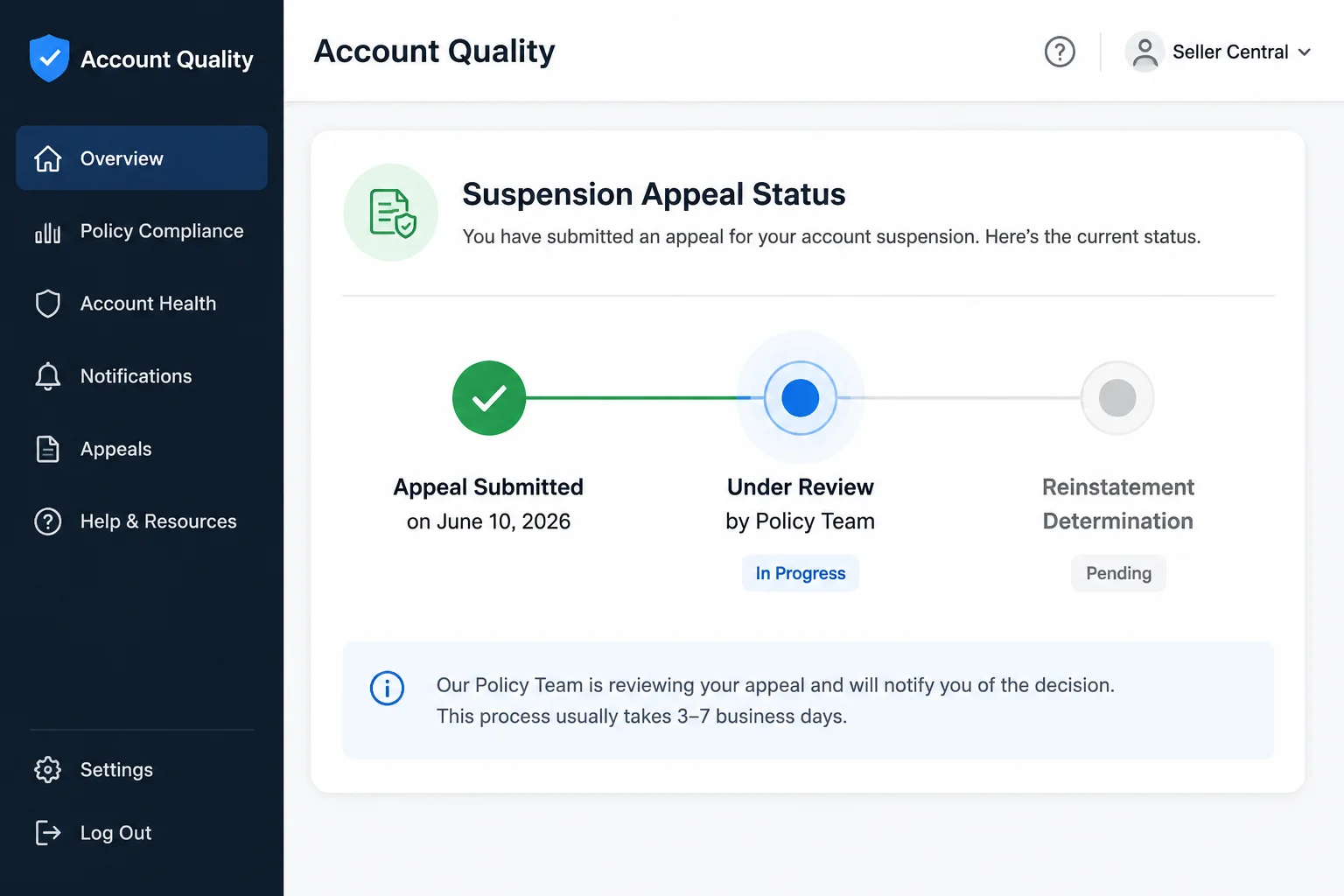
Once you have identified the policy violation and taken corrective action, it is time to submit the appeal through Meta's official channel. The appeal form itself is simple. The strategy around it is not.
How to submit your appeal
Go to the Account Quality dashboard and locate the restricted ad account. Click "Request Review." You will be asked to explain your situation and describe the corrective actions taken.
The form gives you one text field and one file attachment. Use both carefully:
- State the specific policy cited in your disablement notice. Show that you read it and understand what Meta flagged.
- Describe the corrective action you have taken. "I removed the landing page that did not include a privacy policy and replaced it with a compliant page." Specificity matters.
- Attach supporting documentation. Screenshots of the corrected ads, updated landing page URLs, payment receipts, business registration documents. Meta's Business Help recommends attaching a document that lists each policy concern and what you did to fix it.
- Request a human review. Acknowledge Meta's automated system may have made an error, and ask for manual review.
What to include in your appeal documentation
Meta's review team evaluates credibility, not emotion. A professional, structured appeal with verifiable evidence has a higher chance of being escalated.
- Business registration documents. Your company registration number, tax ID, or equivalent. This confirms you are a legitimate business entity.
- Landing page screenshots. Show the current state of your landing page with privacy policy, terms of service, and contact information visible.
- Ad copy and creative. Demonstrate that your ads are compliant. If the suspension was about misleading claims, show the updated copy.
- Payment verification. Bank statement or payment receipt showing the name on the account matches your business registration.
Timeline expectations
| Stage | Typical duration |
|---|---|
| Automated review | 24-72 hours |
| First human review | 3-7 business days |
| Second review (if escalated) | 7-14 business days |
| Data retention after disablement | 180 days |
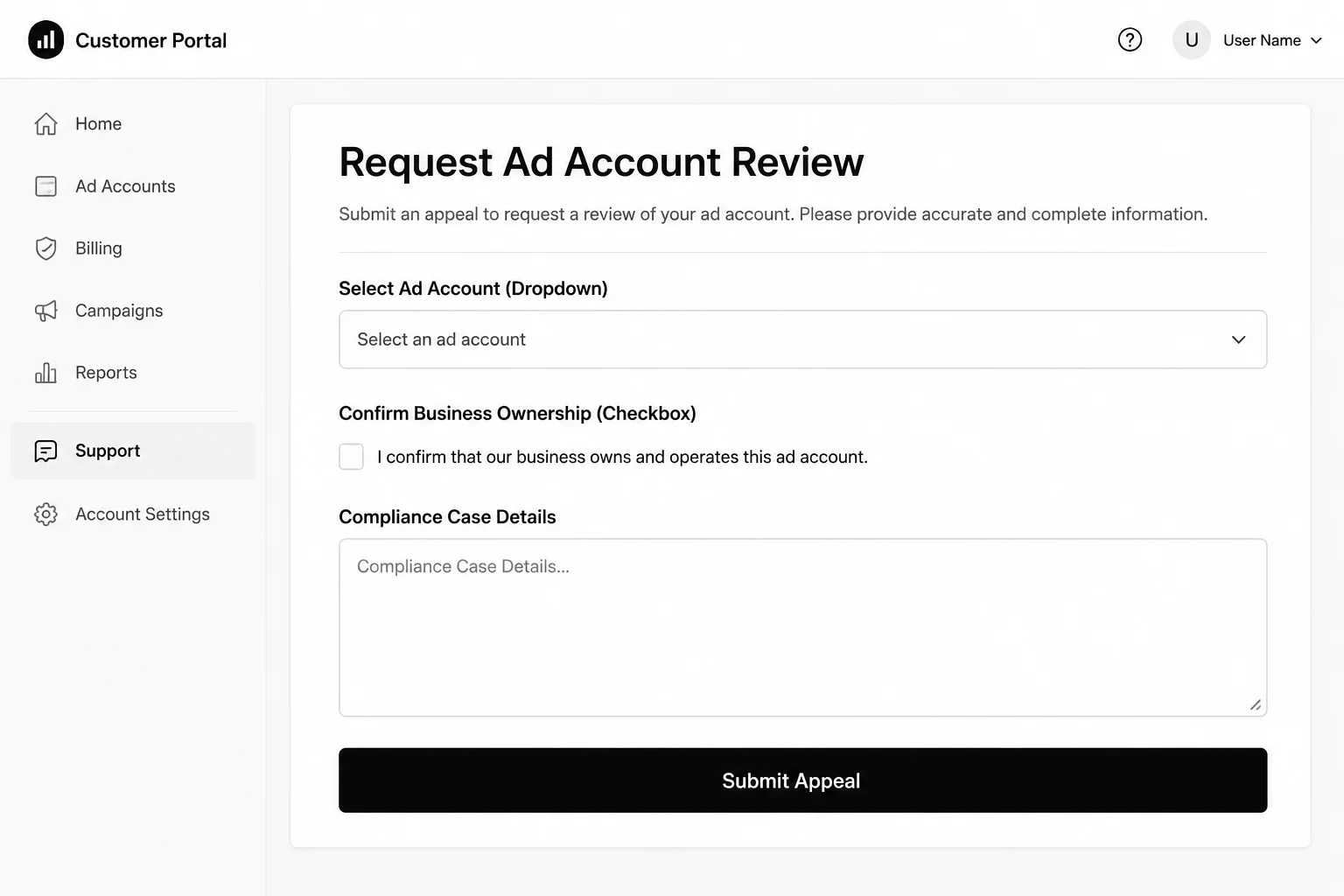
Meta's enforcement documentation shows that most initial reviews are processed within 3 days, but appeals with incomplete documentation are rejected without human review. The difference between a same-day approval and a two-week wait is almost always the quality of the documentation submitted in the first appeal.
If the appeal is denied
One denial does not mean the account is permanently lost. Meta allows a second review request on most accounts, and Meta's Business Help notes that many initial denials are automated — the second request routes to a human reviewer.
What to do after a denial:
- Review the denial reason. Meta provides a reason for each denial. Address it directly in the second appeal.
- Add documentation you did not include the first time. A business license, a signed affidavit of compliance, screenshots showing the exact fix.
- Wait at least 48 hours before submitting the second appeal. Multiple rapid submissions can trigger spam detection.
Portcast's account management and appeal support does not rewrite your appeal for you. What we provide: a documented process for escalating legitimate accounts to Meta's platform teams, and a backup account provisioned within 1 day if the suspension creates a business continuity problem. No third party controls Meta's enforcement decisions — but having an escalation channel is better than waiting in the public ticket queue.
My Meta Ads Account Is Disabled
[IMAGE: h2-3-escalation]
The standard appeal process works for straightforward suspensions. For accounts with meaningful spend history, long-established Business Managers, or complex compliance situations, the standard process may not be sufficient. When you have exhausted the Account Quality appeal form and the second review is denied, there are still options.
Escalation paths when the appeal system fails
Meta Business Support Home. If you have spent more than $1,000 in the last 30 days across your ad accounts, the Meta Business Support Home chat channel becomes available. Agents in this channel have access to internal escalation tools that the Account Quality review team does not.
Meta Verified for Business. Meta's verification program provides direct chat support. For advertisers who qualify, this is the most reliable way to reach a human who can review account history rather than just the flagged violation.
Agency escalation channels. Ad accounts managed through verified agency partners have access to delegated support channels. When an ad account is flagged, the agency can escalate through their account management team rather than through the public support queue.
What Meta does not tell you about your disabled account
Meta's automated systems evaluate your entire asset cluster — not just the individual ad account. Your Business Manager, pixel data, audience lists, payment method history, and linked Instagram accounts are all part of the evaluation. Meta's Business Help found that accounts with multiple linked Instagram profiles and shared pixels across Business Managers face higher flag rates because the system evaluates the network, not the node.
This is why creating a new ad account from the same Business Manager after a suspension does not work. The system connects the new account to the disabled one through your Business Manager, pixel, and payment method. The restriction follows you.
Prevention for the next account
Whether you recover the disabled account or start fresh, the prevention strategy is the same:
- Complete business verification. Meta expanded verification requirements for all active ad accounts in 2026. Accounts that fail to verify within 30 days are restricted.
- Warm up new accounts gradually. Start at $20-$50 per day for the first week. Scale only after the account has cleared the initial probationary period.
- Use only Meta-approved tools. Automation tools that Meta has not officially blessed through its API program are a top suspension trigger. If you need automation, use Meta's official AI Connector program.
- Maintain clean account hygiene. One Business Manager, one pixel per domain, consistent payment methods, no shared logins across unrelated accounts.
Portcast does not guarantee that your account will never be suspended. Meta's enforcement decisions are outside any third party's control. What we can do: compliance review before submission, direct escalation through established platform channels when a legitimate account is flagged, and a backup Facebook agency ad account provisioned within 1 day if suspension creates an operational gap. Our customer-owned account model means you retain ownership of the account and its accumulated assets — pixel data, audience lists, campaign history — regardless of whether you continue with Portcast.
If your Facebook ad account is disabled and you need a path back to running campaigns — or you want to separate your ad operations from your Business Manager's account standing — talk to our AM. We will review your situation, confirm fit, and scope the next step. No payment before scope is confirmed.
Written by Brian Sung
Growth Lead at Portcast Media. Writing about ad account infrastructure, platform policy, and how performance advertisers scale without getting shut down.
LinkedInFrequently asked questions
Why was my Facebook account disabled for no reason?+
Meta's automated enforcement systems flag accounts based on risk patterns, not necessarily actual violations. Your account may have been flagged due to suspicious login activity, a shared IP address with a previously banned account, a payment method that triggered a fraud signal, or an ad that Meta's AI re-evaluated as non-compliant after publication. Check the Account Quality dashboard to see the specific policy cited. If the dashboard shows no policy violation but your account is still restricted, submit an appeal requesting a human review. Meta has been reducing its false-positive rate — Search Engine Journal reported an 80% reduction in incorrect advertiser suspensions through AI improvements.
How to appeal Facebook Business Manager ad account suspension+
Start by going to the Account Quality dashboard and selecting the restricted ad account. Click "Request Review" and provide a factual explanation of the issue, the corrective actions you have taken, and supporting documentation. The appeal process for a Business Manager-level suspension is the same as an individual ad account suspension, but the review may take longer because Business Manager restrictions affect multiple assets. If the appeal is denied, contact support through Meta Business Support Home — Business Manager accounts with active spend history often qualify for chat-based support. For advertisers with agency-managed accounts, Portcast's direct escalation channels can submit the appeal with additional context about your account history and compliance record.
What is the best Facebook appeal strategy for small business owners?+
The most effective appeal for a small business owner includes three things: business registration documentation, screenshots of corrected ad content or landing pages, and a clear explanation of the corrective actions taken. Small business accounts face higher rates of automated flagging because they lack the account history that larger advertisers have. Meta's Business Help recommends small business owners complete Meta's business verification process before submitting an appeal, because verified accounts are reviewed by a different team than unverified accounts. If your only ad account is disabled and you need to keep running campaigns, consider a Facebook agency ad account that is separate from your organic Business Manager — this isolates your ad operations from your Business Manager's account standing.
How do I recover a hacked and then suspended Facebook account?+
Start with account security, not the appeal. If your account was hacked before it was suspended, Meta's priority is verifying that you are the genuine owner. Go to the Meta Account Recovery page and submit proof of identity (government-issued ID, email verification, phone number confirmation). After account access is restored, then address the ad account suspension. A hacked account that was used to run unauthorized ads faces a different review process than a standard suspension — Meta's review team needs to distinguish between the hacker's activity and the legitimate account owner's activity. Meta's account security help recommends documenting what the hacker did (emails changed, pages created, ads run) and submitting this documentation with your appeal.
What to do if Facebook appeal is ignored or denied+
If your appeal is ignored for more than 14 days or denied after the second review, escalate through a different channel. File a complaint through your local consumer protection agency — US advertisers have reported that complaints filed with their state Attorney General's office often trigger a response within 1-2 weeks. Meta's Business Help found that regulatory complaints have a higher response rate than standard appeals for accounts with no history of severe violations. If your business depends on continuous ad delivery and you cannot afford to wait, the practical option is to run campaigns through an agency ad account structure that isolates your ad operations from your Business Manager's standing. Portcast provides backup account within 1 business day (Mon-Fri, 9am-6pm HKT) provisioning for active clients whose primary accounts are under review, with access to direct platform escalation for legitimate accounts facing unwarranted restrictions.
Related reading
Facebook Agency Account Guide
Ownership, permissions, and risk framing for Meta setups.
Instagram Ad Account Recovery
Disabled-account diagnosis for permissions, identity, and policy issues.
TikTok Unshadowban Guide
Signal checks, account context, and recovery routes for TikTok visibility.
Account Ownership Model
Continue into the next page for the practical operating details behind this topic.
Ready to check if your situation qualifies?
Describe your platform and account situation. Your AM will review fit and confirm the next step — no payment before scope is confirmed.