
How to Restore a Disabled Instagram Ad Account

Brian Sung
Published on July 1, 2026
Instagram Ad Account Disabled
[IMAGE: h2-1-ig-disabled]
Instagram ad accounts get disabled for the same reasons Facebook ad accounts do, but the triggers differ in frequency. Instagram's enforcement tends to flag accounts engaged in influencer-style advertising, in-app boosting, and new accounts that scale spend too quickly without established history.
Why Instagram ad accounts specifically get flagged
Boosting posts from the app. The Instagram "boost" feature creates an ad account automatically if you do not already have one. These auto-created accounts carry no history and no business verification. Later's analysis found that accounts created solely through in-app boosting are flagged at disproportionately higher rates because they lack the payment history and Business Manager structure that Meta uses to establish advertiser trust.
Influencer collaboration ads. When brands run ads through influencer partnerships via Instagram's branded content tools, the ads run under the influencer's ad account. If the influencer's account has compliance issues, the brand's ads are affected too. This cross-account dependency is a common trigger that advertisers do not anticipate.
Account linking conflicts. An Instagram ad account linked to a Facebook Business Manager that has a history of violations — even on the Facebook side — can trigger a restriction on the Instagram asset. Meta evaluates your entire account graph, not individual assets in isolation. Meta's Business Help reports that linked account detection is one of the top three reasons Instagram ad accounts are disabled in 2026.
High-risk product visibility. Instagram's visual format means product claims are evaluated differently than text-based ads. Before-and-after photos, health and beauty claims, financial service promotions — these are scrutinized more heavily on Instagram because the visual format amplifies the claim. An ad that would pass review on Facebook can trigger a suspension on Instagram.
The first step is always the same
Regardless of the trigger, the immediate action is identical: check the Account Quality dashboard to identify the specific violation, read the cited policy, and do not create a new ad account from the same Business Manager while the restriction is active.
Creating a new ad account to bypass the restriction triggers Meta's circumventing systems policy. This compounds the original issue and can result in a permanent restriction on the entire Business Manager, not just the individual ad account.
Portcast's compliance review process covers both Facebook and Instagram ad accounts before they go live. For advertisers running campaigns across both platforms, we review ad creative, landing pages, and account structure for Instagram-specific risk factors — before the account is submitted for platform approval. We do not guarantee that no suspension will occur. No provider can promise that. What we do: identify the risks that are visible before submission and flag them to the advertiser.
How to Appeal a Disabled Instagram Ad Account Step by Step
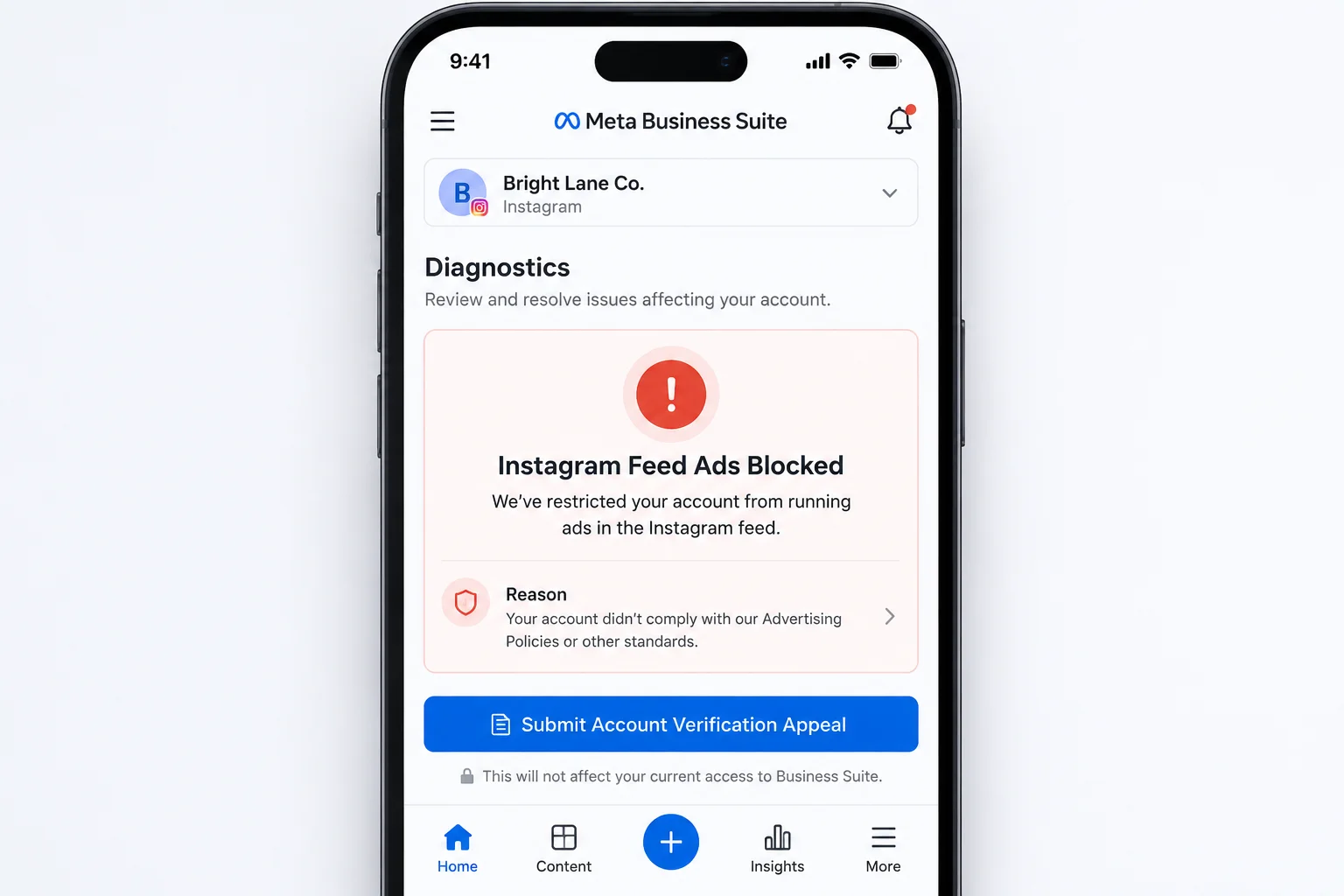
The appeal process for an Instagram ad account follows the same Meta-wide system, but the entry point depends on how you set up your advertising.
Step 1: Determine your ad account setup
Instagram ads are created through two paths, and the appeal route is different for each:
| Ad setup type | Appeal entry point |
|---|---|
| Ads created through Meta Ads Manager | Account Quality dashboard in Business Suite |
| Posts boosted from the Instagram app | Instagram Settings > Account Status > Request Review |
| Ads managed by an agency account | Agency escalates through delegated Business Manager support |
Step 2: Diagnose the exact policy violation
Open the Account Quality dashboard and read the specific policy cited. Common triggers for Instagram ad accounts in 2026 include:
- Misleading claims in ad copy or imagery (most common in beauty, health, and finance verticals)
- Landing page non-compliance — missing privacy policy, contact information, or refund terms
- Payment method issues — expired cards, billing name mismatch, or failed transactions
- Suspicious login activity — logins from new devices or IP ranges that do not match account history
Step 3: Fix the issue before appealing
Submitting an appeal without corrective action guarantees rejection. The review system checks whether the specific violation has been resolved. For Instagram-specific issues:
- Update your ad creative to remove exaggerated claims
- Ensure your landing page includes a privacy policy, terms of service, and contact information
- Verify that your payment method details match your business registration
- Enable two-factor authentication on both your Instagram account and Facebook Business Manager
Step 4: Submit the appeal
For Ads Manager accounts: go to Account Quality, select the restricted ad account, click "Request Review," and provide your explanation with supporting documentation.
For in-app boosting accounts: go to Instagram Settings > Account Status > Request Review. Describe the situation and the corrective actions taken. Attach screenshots of updated landing pages or revised ad copy.
Step 5: What to include for a stronger case
The difference between a quick review and a rejected appeal is almost always documentation. Meta's Business Help recommends including:
- Business registration or tax documents verifying your identity
- Screenshots of the corrected ad or landing page
- A written explanation that references the specific policy cited in the suspension notice
- A commitment to ongoing compliance with Meta's Advertising Policies
Step 6: Wait without submitting duplicates
After submitting, wait at least 48 hours before checking status. Submitting multiple appeals resets your place in the queue and can flag your case as spam. If you have not heard back within 5 business days, escalate through Meta Business Support Home if your account qualifies for chat support (typically $1K+ monthly spend).
Portcast does not submit appeals on behalf of advertisers. The appeal is between you and Meta's review team. What we provide: direct platform escalation for legitimate accounts facing unwarranted restrictions, and a backup Instagram ad account provisioned within 1 day if your primary account is down and campaigns cannot wait. Our account management team can document your account history and compliance record to strengthen the escalation case.
How Long Does Meta Take to Review an Ad Account Appeal?
[IMAGE: h2-3-timeline]
Meta does not publish official review timelines. The real answer depends on your account history, the complexity of the violation, and whether your case is routed to automated or human review. Based on aggregate advertiser data and published industry analysis, the following estimates are more accurate than Meta's generic "reviewing your case" status message.
Review stages and their durations
| Stage | Typical duration | What happens |
|---|---|---|
| Automated review | 24-72 hours | System checks whether the violation appears resolved. Most initial denials happen here. |
| First human review | 3-7 business days | Assigned after automated review passes. Reviewer evaluates documentation and account history. |
| Second review | 7-14 business days | Only triggered if the first human review was denied and you submit additional documentation. |
| Full account restoration | 1-2 days after approval | Pending removal of restriction flags across the account graph. |
Meta's enforcement documentation found that Instagram ad account appeals processed solely through the in-app "Account Status" channel take approximately 40% longer than appeals submitted through the Account Quality dashboard. The in-app channel routes to a different review queue with less direct access to advertiser account history.
What slows down the review
Three factors consistently extend review times:
Incomplete appeals. Submitted without the specific policy identified, without corrective action documentation, or without business verification. These are rejected without human review, and each resubmission resets the queue.
Weekend submissions. Meta's ad account review team operates on a standard business schedule. Appeals submitted on Thursday or Friday are unlikely to receive attention until the following Monday or Tuesday.
Complex account structures. Business Managers with multiple ad accounts, linked Instagram profiles, shared pixels, and cross-platform payment methods require more review time because the system evaluates the entire asset network.
The counterintuitive insight about review times
Most advertisers believe a faster review means a better outcome. In practice, accounts approved within 24 hours are usually cases where the violation was clearly a false positive — the automated review was sufficient. Accounts that require 1-2 weeks of human review are more likely to be genuinely complex cases that, if approved, face stricter ongoing scrutiny. The fastest approval is not necessarily the most stable approval.
Meta has been improving its detection accuracy. Search Engine Journal reported that Meta achieved an approximately 80% reduction in incorrect advertiser suspensions through AI-driven enforcement improvements in late 2025. Appeal resolution times dropped correspondingly. But the improvements apply unevenly — straightforward policy violations resolve faster, while complex account network flags still require extended review.
Portcast acknowledges that review timelines are outside any provider's control. Meta's internal processes determine when an appeal is reviewed. What is within our control: ensuring your account is structured correctly before submission to reduce the likelihood of an avoidable suspension, and providing a backup account within 1 day if the primary account goes down during review. The customer-owned account model means any Instagram ad account opened through Portcast is owned by you, not by us — the pixel data, audience lists, and campaign history remain under your control regardless of service continuity.
If your Instagram ad account is disabled and your campaigns are on hold — or you want to separate your ad operations from your Instagram profile's standing — talk to our AM. We will review your situation, confirm fit, and scope the next step. No payment before scope is confirmed.
Written by Brian Sung
Growth Lead at Portcast Media. Writing about ad account infrastructure, platform policy, and how performance advertisers scale without getting shut down.
LinkedInFrequently asked questions
What documents do I need to verify my business identity to restore Meta advertising access?+
You need three things: government-issued ID for the Business Manager admin, business registration documents matching the account name, and proof of payment method ownership (bank statement or card statement showing the business name). Meta's verification requirements expanded in 2026 to cover all active ad accounts. Accounts that fail to complete business verification within 30 days of creation are restricted. The verification process is available through Meta Business Suite under Business Settings > Security Center > Business Verification. An approved verification strengthens your appeal case significantly — verified accounts are reviewed by a different team than unverified accounts.
What should a small business owner do if their only Instagram ad account is banned?+
The immediate priority is keeping your business running while the appeal is processed, not waiting for the review to complete. If boosting posts from the app was your only advertising channel, the ban stops your ad delivery completely. Submit an appeal through Instagram Settings > Account Status, then consider alternative advertising channels or an agency ad account structure that is independent of your Instagram profile's standing. Small business owners who rely on a single ad account face disproportionate downtime risk because one suspension stops all campaigns. Meta's Business Help recommends establishing at least one additional ad account pathway before a crisis occurs.
What are the steps for marketing agencies to recover a client's disabled Instagram account?+
The primary step is determining whether the agency or the client owns the Business Manager relationship. If the client's Instagram ad account was created under the agency's Business Manager, the agency files the appeal through their Business Support Home. If it was created under the client's own Business Manager, the client must submit the appeal — the agency cannot appeal on their behalf without delegated access. Agencies managing multiple client accounts should maintain separate Business Managers per client to isolate restriction risk. If one client's account triggers a policy review, the restriction should not cascade to other clients within the same Business Manager.
How do I contact Meta Ads support via live chat for account recovery?+
Meta Ads live chat is available through Meta Business Support Home for accounts with qualifying spend history (approximately $1,000+ in the last 30 days). Log into Business Suite, click the "?" help icon in the bottom-left corner, and select "Contact Support." If the chat option is available, you will be connected to a support agent who can escalate your case internally. For accounts that do not meet the spend threshold, the support options are limited to email and the Account Quality appeal form. Meta Verified for Business also provides live chat access on qualifying accounts. Portcast clients have access to direct platform escalation through established agency channels — these are not the same as the public chat queue, and availability depends on your account structure and advertising spend.
How do I check the Account Quality dashboard on Meta to see specific ad violations?+
Open business.facebook.com/accountquality/ while logged into the Business Manager that owns your Instagram ad account. The dashboard displays all restricted assets under your Business Manager, including Instagram ad accounts. Each restriction entry shows the policy cited, the date of the restriction, the current status (under review, denied, or resolved), and a "Request Review" button if an appeal is available. Check this dashboard weekly — even if you have no active restrictions, the dashboard surfaces warnings about accounts approaching policy thresholds. Meta does not always send email notifications for minor flags that can escalate into full restrictions if left unaddressed.
Related reading
Facebook Suspension Appeal
Appeal sequencing, evidence, and recovery paths after restrictions.
Facebook Agency Account Guide
Ownership, permissions, and risk framing for Meta setups.
TikTok Unshadowban Guide
Signal checks, account context, and recovery routes for TikTok visibility.
Account Ownership Model
Continue into the next page for the practical operating details behind this topic.
Ready to check if your situation qualifies?
Describe your platform and account situation. Your AM will review fit and confirm the next step — no payment before scope is confirmed.