
What Is an Agency Ad Account and How Does It Work?

Brian Sung
Published on July 1, 2026
What Is an Agency Account and How Does It Work Across Platforms?
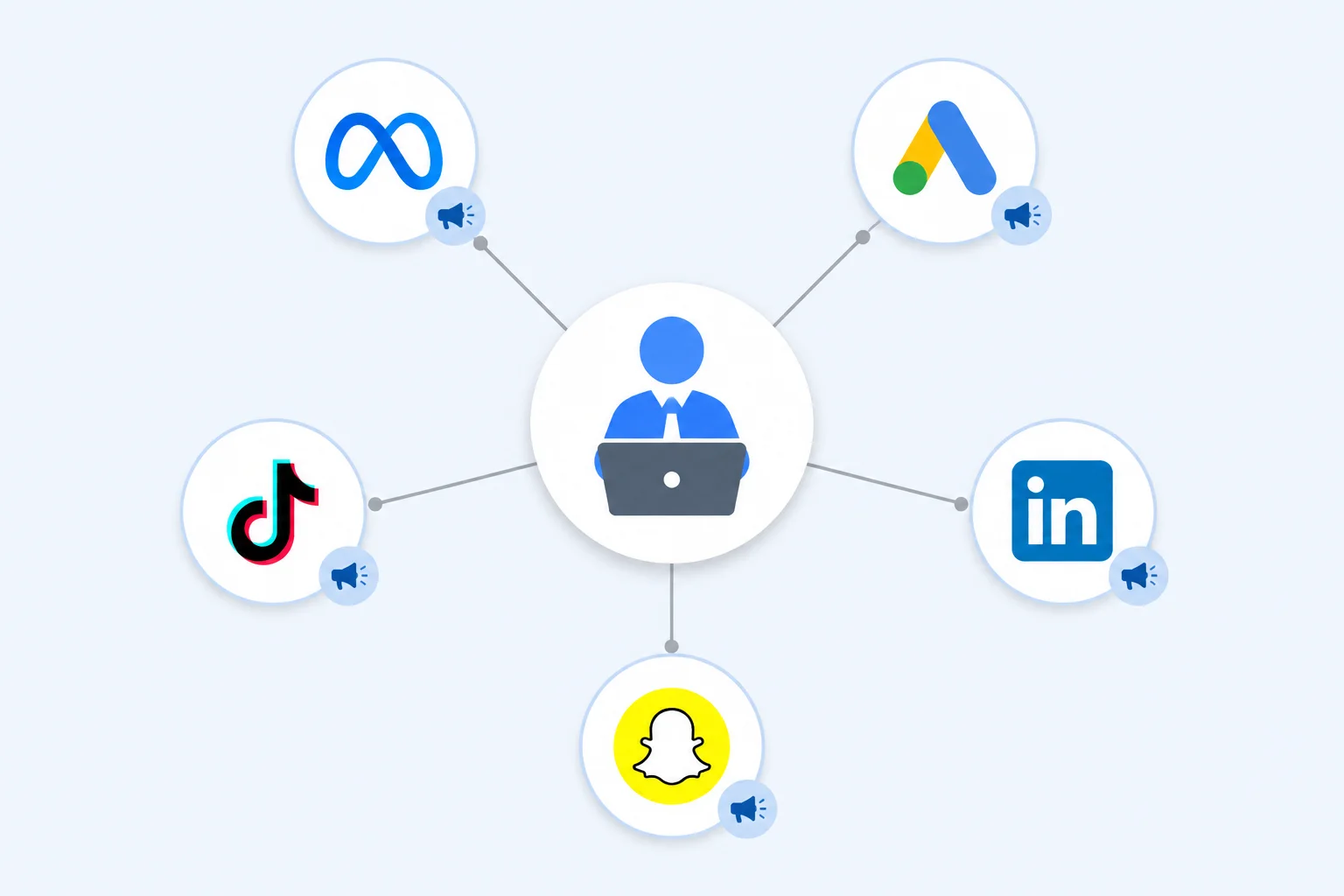
An agency account is an umbrella account structure that links multiple client ad accounts under a single management interface. The client accounts remain independent — each has its own billing, its own settings, its own compliance record — but the agency controls campaign management, permissions, and reporting from one place.
How the structure works
The model is the same across platforms:
1. The agency creates or registers for the platform's manager-level account type.
2. The client creates their own ad account (or the agency creates it on the client's behalf).
3. The agency sends a linking request from their manager account.
4. The client approves the request.
5. The agency begins managing the client's campaigns through the manager dashboard.
The critical detail is step 4: the client must approve the link. This is not an automatic process. The client retains ownership of their account and can revoke the agency's access at any time.
Meta Business Manager describes this as the most important structural feature of agency accounts: the client never loses ownership, and the agency never gains control of the client's billing or account settings without permission.
Platform-specific implementations
| Platform | Agency Account Name | Key Difference |
|---|---|---|
| Google Ads | Manager Account (MCC) | Supports up to 85,000 linked accounts; consolidated billing available |
| Meta (Facebook/Instagram) | Business Manager with partner access | Focus on permission granularity and Business Manager trust scoring |
| TikTok | Business Center with agency tier | Priority creative review; unlimited ad account creation |
| LinkedIn Marketing Partner | Partner-tier support and advanced targeting access | |
| Snapchat | Snapchat Agency Account | API access for campaign automation |
Semrush's breakdown of advertising account types notes that while the names differ, the underlying mechanism is the same: a parent account that can view, manage, and report across multiple child accounts without requiring separate logins. TikTok's Business Center documentation and Google Ads MCC overview confirm that all three major platforms use the same parent-child account structure with client-side ownership approval.
What an agency account does not change
An agency account does not change the platform's compliance policies. A linked account under an agency manager still must comply with the platform's advertising guidelines. It does not shield the advertiser from policy enforcement. It does not guarantee approval for restricted verticals. The agency account layer provides operational infrastructure, not regulatory immunity.
Portcast does not guarantee account approval. Platform decisions rest with the platforms themselves. What we provide: compliance review before submission, direct escalation to platform teams when restrictions occur, and a backup account provisioned within 1 day.
Ad Agency Account Management — Roles, Permissions, and Workflow
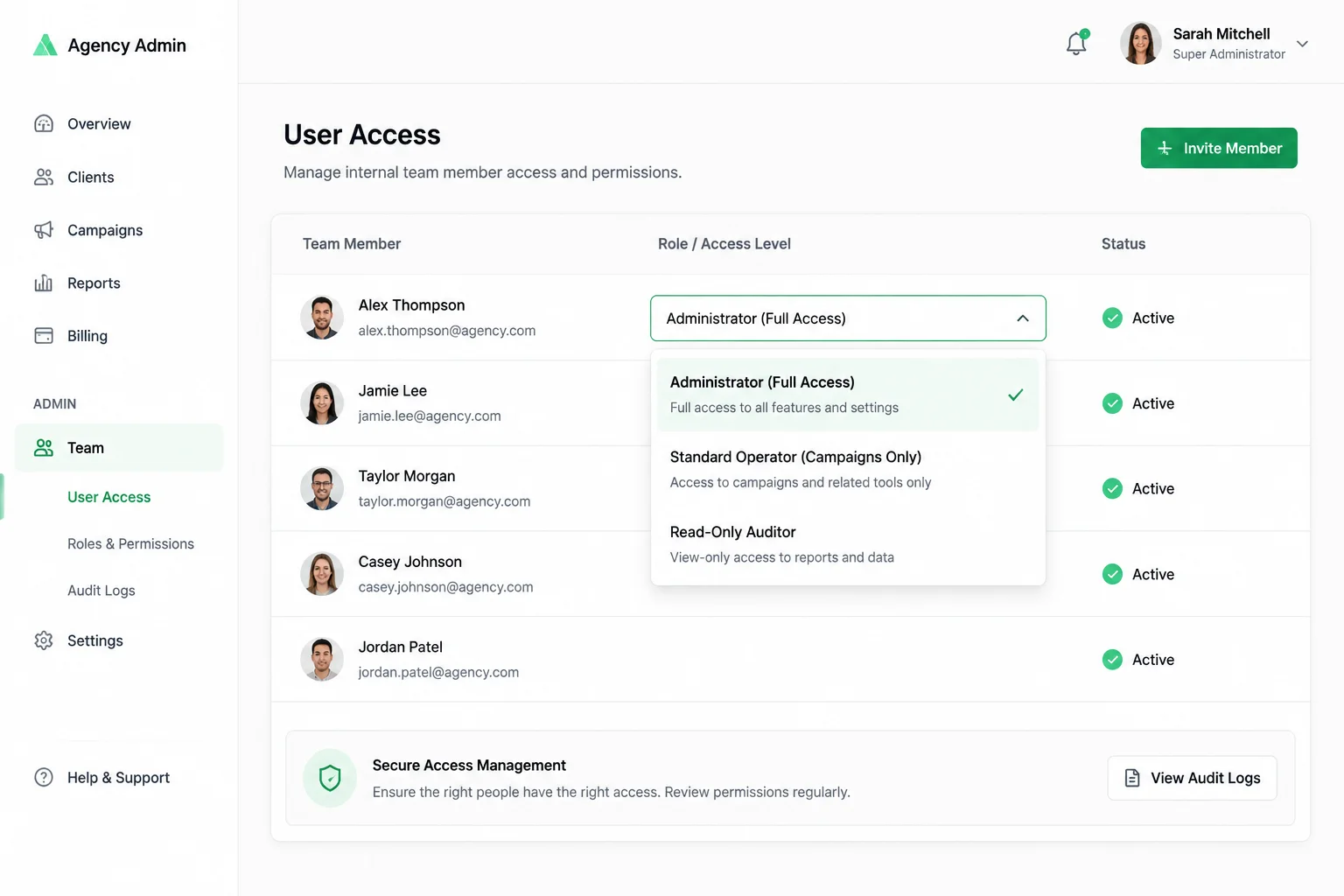
Managing an agency account is different from managing a single ad account. The difference is in permission structure, billing separation, and communication with clients about what you can and cannot do within their account.
Permission roles across platforms
Most platforms support a three-tier permission model:
Administrator. Full access to all accounts under the agency manager. Can add or remove users, change billing settings, link and unlink accounts. Typically limited to the agency's internal team lead or owner.
Standard user. Can create and manage campaigns, view performance data, and adjust settings — but cannot change billing information or manage account linking. This is the default role for most agency team members.
Read-only user. Can view campaign performance and account structure but cannot make any changes. Used for client reporting access or for external auditors.
Meta's Business Help documents that granular permissions are not just an administrative convenience — they are a compliance requirement for agencies managing client accounts, because they ensure that team members only have access to the accounts and data they need.
The linking workflow
The linking process follows a standard sequence regardless of platform. Meta's Business Help and Google's MCC linking documentation both describe the same basic workflow:
1. Client creates the account. Best practice is for the client to create their own ad account under their own Business Manager or account structure. This keeps ownership with the client.
2. Client grants access. The client sends an access invitation to the agency's manager account, specifying the permission level.
3. Agency accepts and configures. The agency accepts the access invitation, assigns internal team members, and begins campaign setup.
4. Client retains ownership. The client can revoke access at any time without involving the agency.
Platforms are moving toward stricter linking requirements. Google Ads Help now requires that client accounts confirm linking requests through their own account — agencies cannot silently take control of accounts.
Common management challenges
Account separation. When managing accounts across different verticals, keeping creative assets, audience data, and pixels separate is essential. Agency accounts support this through account-level isolation within the manager structure.
Billing transparency. Clients should see their own billing. The agency should never have to handle client payments directly. Consolidated billing (where the agency pays and invoices the client) is optional and requires explicit agreement.
Compliance responsibility. The client remains responsible for policy compliance even when an agency manages their account. The agency should conduct compliance reviews before launching campaigns, but the ultimate liability for policy violations rests with the advertiser.
Ad Agency Accounting Software and Billing Structures
The accounting structure of an agency ad account is where most advertisers get confused. The platform sends bills to someone, the agency needs to track spend across clients, and the advertiser needs to know what they are paying for.
Billing models for agency accounts
Separate billing (client pays platform directly). Each client's ad account is billed independently. The client enters their own payment method, receives their own invoices, and has their own billing relationship with the platform. The agency manages the campaigns but never touches the money. This is the recommended model because it eliminates billing disputes and keeps the advertiser in direct control of their ad spend.
Consolidated billing (agency pays, invoices client). The agency's manager account pays for all linked accounts. The agency receives a single invoice from the platform and then invoices each client individually. This model gives the agency more control but also carries more risk — if a client does not pay, the agency is still liable to the platform.
Prepaid or wallet model. The advertiser prepays ad spend into a wallet or account managed by the agency. The agency loads the balance, the advertiser sees their balance via a dashboard, and spending is deducted from the prepaid amount. Portcast uses this model: we open the account, the client prepays, and the client controls allocation through their dashboard.
What to look for in agency accounting software
When managing multiple client accounts, manual tracking breaks down quickly. The tools that matter:
- Cross-account reporting. The ability to generate performance reports across all client accounts in a single view, not account by account.
- Budget alerts and notifications. Automated notifications when a client account approaches its budget threshold or when spending patterns change.
- Invoice generation. Per-client invoice generation that separates costs by account, campaign type, and time period.
- API integration. The ability to connect ad platform data to accounting software like QuickBooks, Xero, or custom ERP systems.
Common billing pitfalls
Commingling funds across client accounts. Some platforms restrict how ad spend can be allocated across accounts within a manager structure. Google Ads, for example, prohibits transferring prepaid balances between accounts under an MCC. Understanding each platform's billing rules prevents reconciliation issues.
Payment method changes triggering reviews. Frequent payment method changes are one of the most common triggers for ad account spending limit reviews. The platforms read payment instability as a risk signal. Keeping payment methods consistent reduces this friction.
Cashback and rebate disclosure. Some platforms offer cashback or rebate programs for agency-managed accounts. The terms vary by platform, volume, and advertiser qualification. Google Ads MCC provides consolidated billing features for qualifying agencies, and similar structures exist across Meta and TikTok for high-volume advertisers. Portcast does not publish cashback terms — they are disclosed by the AM based on the specific advertiser's situation.
An agency ad account is professional infrastructure for managing ad campaigns across multiple clients, brands, or regions. It centralizes management, raises spending limits, and provides priority support — but it does not bypass platform compliance policies. Portcast provides customer-owned agency ad accounts with compliance review before onboarding, support across 16 platforms, and backup account provision within 1 day.
If you are managing advertising across multiple accounts and need an agency account structure that does not sacrifice ownership, talk to our AM. Describe your platform situation and current account structure. We will review fit and confirm the next step — no payment before scope is confirmed.
Written by Brian Sung
Growth Lead at Portcast Media. Writing about ad account infrastructure, platform policy, and how performance advertisers scale without getting shut down.
LinkedInFrequently asked questions
How to get an agency ad account?+
Start by determining which platforms you need. For Google Ads, create a Manager Account (MCC) using a fresh email address that has never been used for a standalone Google Ads account — Google's MCC setup guide documents the process. For Meta, register through Business Manager and apply for partner-level access or work with an existing agency partner. For TikTok, apply through TikTok Business Center. If you are an individual advertiser or a small business, the most practical path is working with an established agency partner who can provision the account within 1 to 2 days from completed documentation.
What are the requirements for an agency ad account?+
Agency ad account requirements vary by platform but consistently include: a registered business entity with verifiable documentation, a website that represents your products or services, a track record of advertising activity (platforms want to see that you have run ads before), and compliance with the platform's advertising policies. High-risk verticals require additional compliance review. Meta's eligibility documentation outlines the general criteria for agency-level access. No platform guarantees approval — acceptance is determined case by case after review.
How much does an agency ad account cost?+
The platform itself does not charge for agency account access — Google Ads MCC, Meta Business Manager, and TikTok Business Center are free to create. Start by understanding how much does agency ad account cost — the answer depends on the provider. The cost comes from the agency partner who provisions and manages the infrastructure. Setup fees range from none to several hundred dollars. Service fees are typically 1% to 5% of ad spend or a flat monthly management fee. Cashback programs may be available but terms vary. Portcast's model is transparent, prepaid, and client-controlled — we open the account, the client prepays ad spend, and the client controls allocation. No payment before scope is confirmed.
Can individuals get agency ad accounts?+
In practice, no. Platforms require agency accounts to be associated with a registered business entity. Individual freelancers can sometimes qualify if they manage multiple clients and can demonstrate a track record of advertising activity, but the account is still registered to their business entity, not to them personally. The better path for individual advertisers is to work with an established agency partner who provisions accounts under their infrastructure.
What is the minimum spend requirement for an agency ad account?+
There is no universal agency ad account minimum spend requirement. Each platform applies its own criteria — Google Ads requires that the MCC has at least one active managed account to remain active, but does not specify a minimum spend. Meta and TikTok evaluate eligibility based on the agency's overall spend portfolio, not a single advertiser's budget. Individual agency partners set their own minimums, typically ranging from $1,000 to $10,000 per month. Portcast does not publish a specific minimum spend — qualification is determined during the fit review based on your advertising needs and business profile.
Related reading
What Is a TikTok Agency Account?
Agency access, verification, and platform workflow basics.
What Is a Facebook Agency Ad Account?
Ownership, permissions, and risk framing for Meta setups.
What Is a Google Ads MCC Account?
Manager-account structure for teams, billing, and escalation.
Meta Whitelisted Ad Accounts Rent
A stricter look at rented access and long-term control tradeoffs.
Ready to check if your situation qualifies?
Describe your platform and account situation. Your AM will review fit and confirm the next step — no payment before scope is confirmed.